
What is Buffering in IPTV?
The meaning of IPTV Buffering is the stop of streaming while watching any channel. This happened that time when the Internet was not working properly for streaming. While this problem can be related to various technical factors, it’s important to understand that 99% of buffering issues are caused by internet connection problems, which often require changing your internet service provider (ISP).In IPTV, mostly Buffering happens with the low speed of the Internet.
Here, we help you to solve the issue of Streaming Buffer with the Help of a VPN. It will help us to know the Reason for buffering and will provide us with the best setting for the VPN. Whether you’re setting up IPTV for the first time or looking to improve your current setup, this guide will provide you with the information and tools you need to solve the problem without switching providers or wasting time with generic solutions.

Reasons For IPTV Buffering, Lagging, and Freezing
Slow/Unstable Internet
Internet speed is an important Element in IPTV streaming. A slow and unstable internet connection is the main Reason for video buffering, freezing, and lagging issues.
In fact, your internet speed is slow for streaming channels or any other applications that are working in the background, or your internet service provider (ISP) is throttling the bandwidth.
Weak WiFi Signal
Due to low internet speed, you can face iptv buffering, lagging, and stuttering during streaming. If your firestick or Android device is away from the internet router, then the signal may not be strong enough. A weak signal causes slow speeds, even if your internet package is fast.
IPTV Network Congestion (Overloaded Servers)
Does your IPTV experience buffering only during peak hours? Are other users complaining of iptv buffering issues? Your ISP’s network may be overloaded. This issue is mostly available in the IPTV providers that provide the service at a low price or Free.
The low-priced IPTV providers have low-capacity servers that do not support many Devices. Furthermore, they are subject to frequent outages due to their reliance on unauthorised streaming sources.
Hardware and Software Problems
Sometimes your internet connection and your Provider’s servers work properly, but you experience slowdowns and crashes.
The problem could be related to your device or the IPTV app. There may be a significant buildup of data and cache. In other cases, you may need to update your hardware or software.

How to Stop IPTV Buffering and Freezing Issues
Here we will explain how we can stop the IPTV buffering.
Choose Reliable IPTV Providers
Your internet connection or VPN is not always the Reason for iptv buffering. IPTV services can sometimes be unstable, overloaded, or offer poor-quality streaming. Make sure you use a reliable IPTV provider with stable uptime, dedicated support, and HD streaming capabilities.
Check Your Internet Connection
Your IPTV depends on your internet speed. If your internet speed is good, you can watch any streaming service without any interruptions. For HD quality, you must have an internet speed of 50 MB, and for 4K quality, you must have an internet speed of 100 MB. Not only the internet package, but some other things affect the speed of your Internet.
Switch to a Wired Internet Connection
A wired connection is always much better than a WiFi connection. Many things affect the WiFi connection, Distance from the device to it, the Number of people using and the Strength of the signal.
If you are streaming over WiFi, it is recommended that you change to a broadband connection. You need to use an Ethernet cable to connect your IPTV device to a direct WiFi.
Monitor Your Bandwidth Consumption
At home, we use the Internet in different ways. Some activities take more bandwidth and some less. For example, downloading a large Movie takes more bandwidth than browsing social media.
Activities that run in the background and other bandwidth-intensive use may cause buffering and freights during IPTV streaming. Close background apps to solve this problem and stop all downloads.
In addition, your Internet provider (ISP) can limit your speed for more bandwidth-intensive activities and IPTV streaming at the same time. You can use IPTVPN (VPN) to avoid this problem. I use ExpressVPN myself, and I recommend that.
Troubleshoot Your Internet Connection
Sometimes buffering is a slow and unstable internet connection. You can check if the problem is that or not, try something else Internet for it, such as opening a banking app, running a YouTube video, or calling a friend.
If these things don’t work, turn your internet connection to the router. Here are a few ways to fix bad connections:
Do your router or modem reset/power cycle.
Test the speed and contact your Internet provider (ISP) to find out if the problem is not with them.
Take your IPTV devices and hardware near the internet router or modem.
Use a Quality Live TV Service
Often buffering is also due to the quality of the IPTV service not being good. There are thousands of IPTV providers in today’s era, and finding a good service is difficult.
For a more improved and reliable result, we recommend that you use a Werry-Fide Live TV service such as Nexotts Iptv, YouTube TV, or DirecTV Stream.
Clear Cache
Cash cleaning on streaming devices is an excellent way to get updated by various installed apps, such as IPTV services and other streaming apps, updated.
You can usually go to your device settings and do it for any app.
This option also exists in your app settings for some IPTV services. This is a good way to make the app clean/refreshed and reduce buffering problems in your live TV service.
Update your Streaming Device
If not even the buffering problem doesn’t end up trying all the above methods, it’s better to consider upgrading your streaming device. Although firestick devices are best for VOD content such as movies and TV shows, you may need a more powerful device for live TV streaming. Many people are now going to go to Google/Android boxes, leaving Fire TV because they have restrictions and advertising is low. IPTV users should upgrade to a device that has more RAM, so that the playback speed and live services or video on-demand apps are better. Today’s best IPTV boxes have two main devices: Formuler Z11 Pro Max, BuzzTV’s new Powerstation 6 (P6), known today as the most powerful streaming device.
Add a Wi-Fi Extender
If your problem is caused by slow download speed, one of the best solutions is to use a WiFi Extender in your home. This helps to increase speed and strengthen the connection.
These are not generally expensive and can give about 50 percent more bandwidth, which increases speed and ends IPTV buffering or any other type of buffering.
Use a VPN to Prevent IPTV Buffering & Adjust Settings
The biggest Reason for buffering on TV is the internet provider reducing the internet speed. When your Internet provider (ISP) sees more streaming, it often reduces your speed to control bandwidth. This process is more common than people think. If your Internet is slow, you must face buffering when watching IPTV. The good thing is that this problem can be easily solved. You will have to use a VPN to watch IPTV due to bigger buffering.. Through a VPN, you can stream without any problems. In addition, it will keep you private and safe on the Internet, protect the government from overselling, and block the bio-blocked content on platforms like Netflix, Holo, Disney+, etc. I recommend ExpressVPN specifically for IPTV streaming. ExpressVPN uses the most robust encryption protocol to ensure everything stays secure. Currently, ExpressVPN is giving a 71% discount on its 2-year subscription. It also gets 4 months free and 30 days mini-back guarantee, without any question.
Troubleshoot IPTV Hardware and Software
Another reason for buffering problems in IPTV may be bad hardware or software. Hardware includes IPTV set-top box and streaming devices, such as Firestick, Smart TV, Computers, and tablets. Resort to hardware first and see if it’s up-to-date or not. Along with all wires (cables) are connected like set-top boxes with a TV or router, check all of them as well. In the case of software, some IPTV services have their apps with streaming features, while some don’t have a separate app and they run on third-party players. Whether it’s an official IPTV app or a third-party player like IPTV Smarters Pro, make sure it’s optimized. Check updates and update the software when required. If you think the third-party player is causing a problem, try using another app.
Check With Your IPTV Provider
If you’re sure everything is fine with you, first see in support communities whether the other users are also having the same problem.
If not, contact your service provider and tell them the problem. Perhaps the server is overloaded or experiencing a Provider Download Time. Service Provider usually does all the effort to solve the problem, such as redirecting your request to another server.
If all these methods don’t work, then it’s time to try another IPTV Provider. This will be the best step, especially when the current Provider is not providing good customer support or the problem is running for a long time.
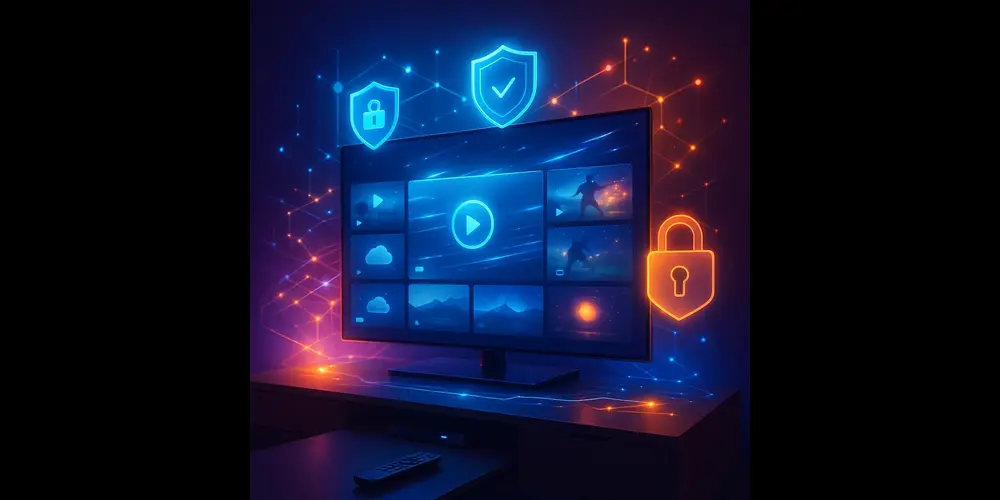
When to Use a VPN for IPTV
Each IPTV buffering problem is not solved by VPN, but using a VPN on many occasions can make clear improvements in streaming quality and continuity.
Below are given common conditions where VPN use is necessary for IPTV users.
Your Streams Buffer Frequently During Peak Hours
If your IPTV runs fine in the day but the evening starts buffering, it’s a clear sign that your ISP is doing throttling. Internet providers often reduce bandwidth for specific activities in high-traffic Hours.
VPN hides your streaming activity, which doesn’t reduce your speed due to your ISP usage type or time calculating your speed.
Your IPTV Service Is Geo-Restricted
Some IPTV providers limit access to specific channels or packages based on your geographical location. For example, the UK’s IPTV services block certain streams from running outside the country.
VPN allows you to change your virtual location, so that you can access a contract as if you were in the same country. Thus, you avoid all these restrictions.
You Experience Random Freezing or Disconnections
Whether you have high-speed Internet, IPTV can sometimes freeze. This is because the connection between your ISP and IPTV server is weak or very bad (Routing). This problem is especially more when servers are present overseas.
VPN lets your traffic pass in a better and effective way, which gives you a faster and stable connection.
You’re Using Public or Shared WiFi
Some Internet providers (ISPs) make a step forward and block access to IPTV apps, domains, or streaming portals.
If your IPTV service is not load or connected, VPN can help you bypass these restrictions. Reset your connection using a different IP address and an encrypted channel.
Your ISP blocks your IPTV App or Site.
Some Internet Service Providers (ISPs) go further and block access to IPTV apps, domains, or streaming portals.
If your IPTV service isn’t loading or connecting, a VPN can help you bypass these restrictions. Reestablish your connection using a different IP address and an encrypted channel.
You’re Traveling Abroad but Want Access to Your IPTV
If you are outside your country and your IPTV service is not working abroad, a VPN can help you maintain access.
Through VPN, you can connect to your home area server, and your IPTV subscriptions can be adapted to the same as if you were at home, whether you are at home.
Frequently Asked Questions
Why is my IPTV continuous lagging?
Your IPTV service is lagging because either the bandwidth is low or a crowd on the Provider’s server. Check the Internet speed to test if the connection is the problem. If the connection is ok, contact your professor to help.
Why is my IPTV freezing every 10 seconds on FireStick?
If your IPTV freezes every 10 seconds, it means that the WiFi signal is too weak and it could also be due to hardware or software issues with the device. Use a wired connection and keep the IPTV device close to the router. Also, troubleshoot the IPTV app and Fire TV Stick.
How can I enhance my IPTV streaming experience?
To improve your IPTV streaming. Reduce the bandwidth of other devices connected to your WiFi. Then fix the video quality according to your internet speed and signal.
Wrapping Up
Buffering and freelance problems in IPTV can make the streaming experience very disappointing. This may also be due to you and to the Provider.
The problems you include:
- slow internet speed
- Non-optimized hardware and software
- VPN Settings
Problems by Provider include:
- Bad servers
- Low-quality service
Whether anything is, the solution given in this post will help you save IPTV buffering and refreshing problems.

Moms IPTV is the best service I’ve found. Thanks, momiptvhub.com!
Enjoy 30,000+ channels, movies, and series for all age groups with our IPTV service. Embrace the future of television with no more traditional TV hassle! Watch in stunning 4K, FHD, and HD. Try it now at OTTOCEAN IPTV.
Unlock over 30,000 channels, movies, and series for all ages with our IPTV service. Say goodbye to traditional TV and start streaming in 4K, FHD, and HD quality. Embrace the future of entertainment at GREEK IPTV.